Bank verification is mandatory for using the Utransfer service.
To proceed a bank verification, go to [Account Management]>[Verification]>[Bank Verification] after log in.
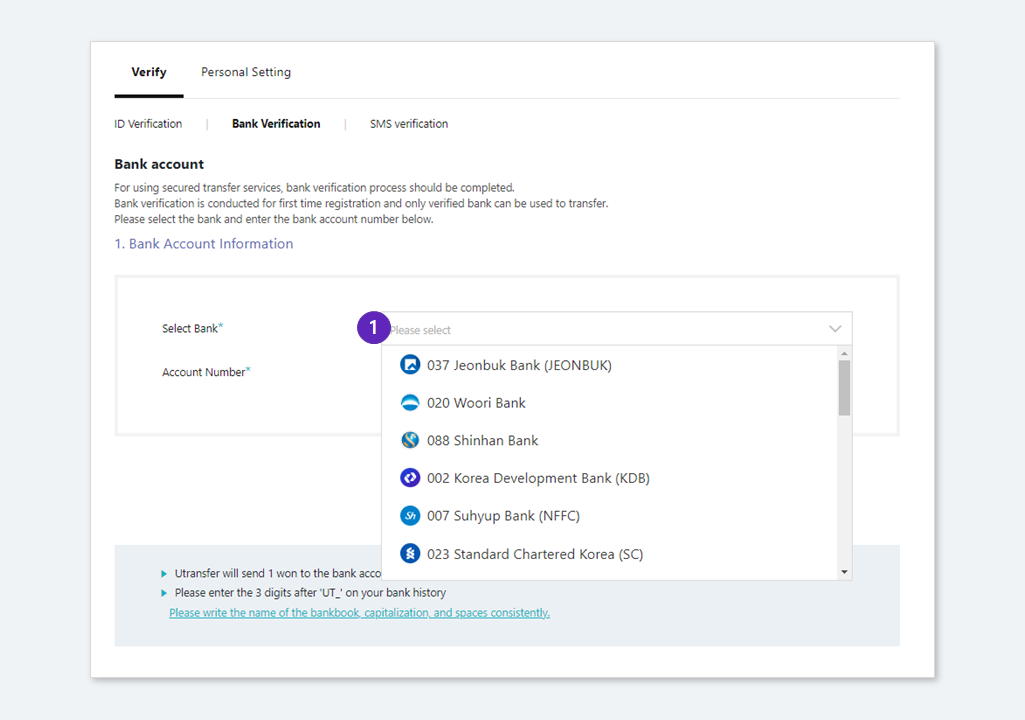
① Select the bank to verify.
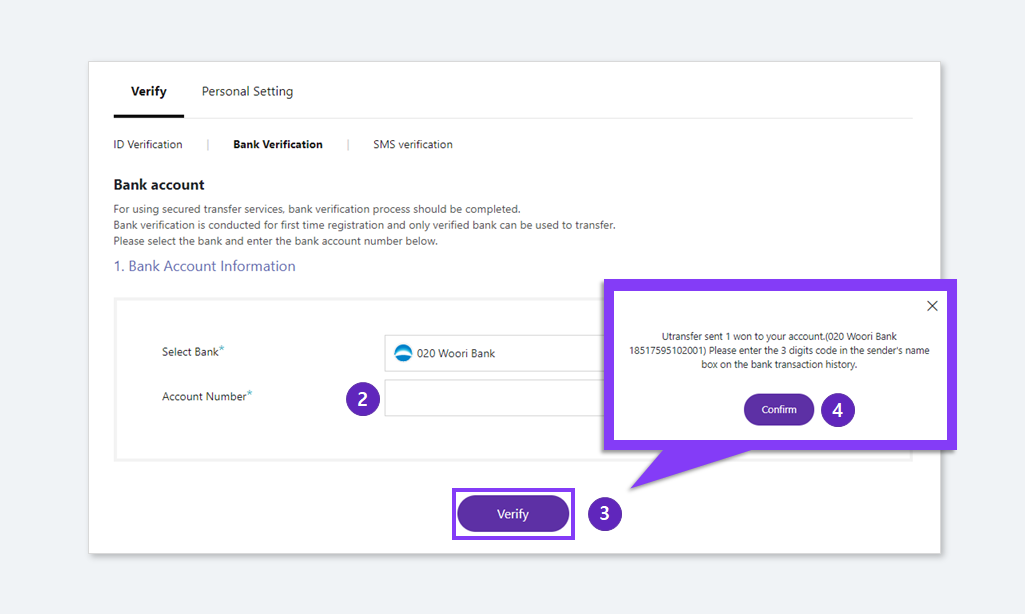
② Input the bank account number.
③ Click the 'Verify' button.
④ Check all the information above and click 'Confirm'
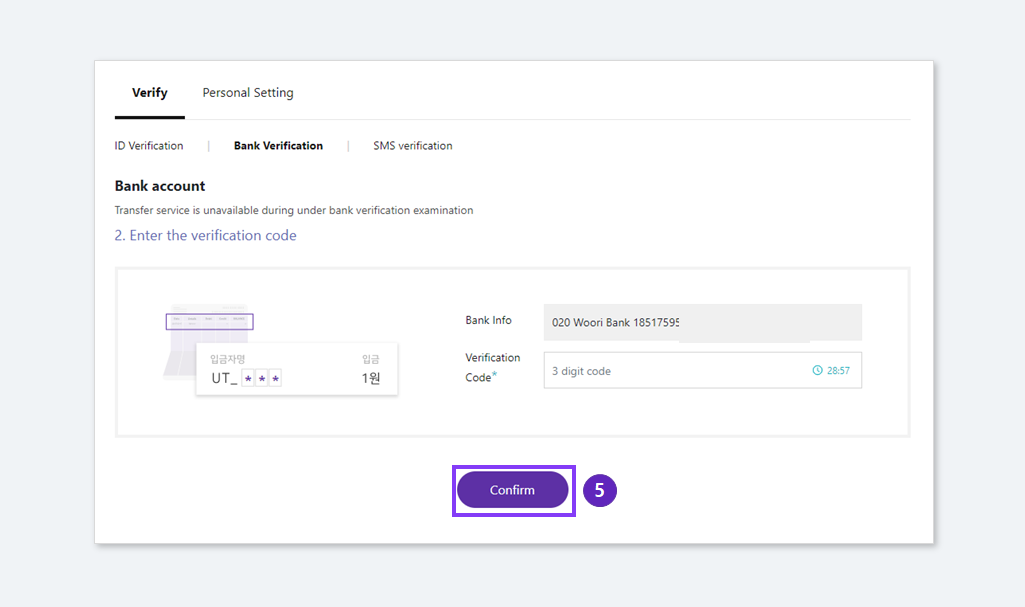
⑤ We've sent 1 won to your verifying bank account with 3 digits verifiation code. Check your 3 digits verification code on your bank account transaction history and input the 3 digits code (UT_OOO) and click 'Confirm' button.
[Things to know]
- The bank account for verification should be same with the user's name.
- All the commercial banks are available for the verification and SK Securities account in the only available security account.
- Input the bank account number written on your bank book to protect from not inputting the permanant bank account number (ex: mobile number) when verifying with Woori, IDK, KB bank.
- Old bank account number is unavilable when you create a transaction. Please check whether your bank account number is old or new.
Ex) In case of Shinhan bank, input the 12 digits not 11 digits bank account number. - You can edit the bank verification twice a day. If you already tried twice today, please try it again tomorrow or contact to support team.
- If you cannot deposit after the bank verification is completed, please go to 'Virtual account deposit is unavailable',