For the security reason, Utransfer requires ID verification to all the customers as a mandatory procedure.
To proceed a ID verification, go to [Account Management]>[Verification]>[ID Verification] after log in.
[Available ID types for verification]
Korean ID (Including Overseas resident registration card), Driver's license
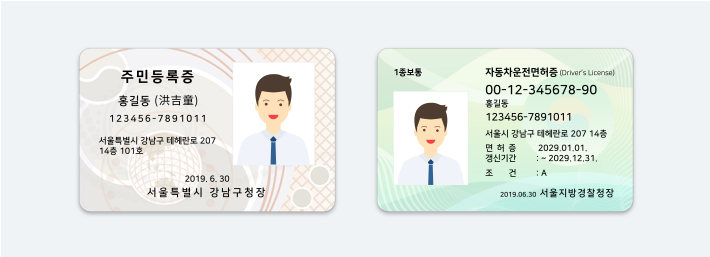
[Verify with Korean ID]

① Select the Korean ID
② Take a photo of your ID clearly and upload it. (All the numbers should be visiable)
③ Please click 'Confirm' if the ID number and issue date are read correctly.
[Verify with Driver's license]

① Select the Driver's license
② Take a photo of your ID cleary and upload it. (All the numbers should be visiable)
③ Please click 'Confirm' if the Driver's license number and ID number are read correctly.
[Things to know]
- Upload the non-expired ID
- Upload the most recently issued ID
- Upload the ID which is all the infos are visiable.
- Upload the ID which is not tilted.
- Do not hide any ID info.
- Take a photo of your actual ID not scanned ID.
[Do you need to edit your verified ID?]
