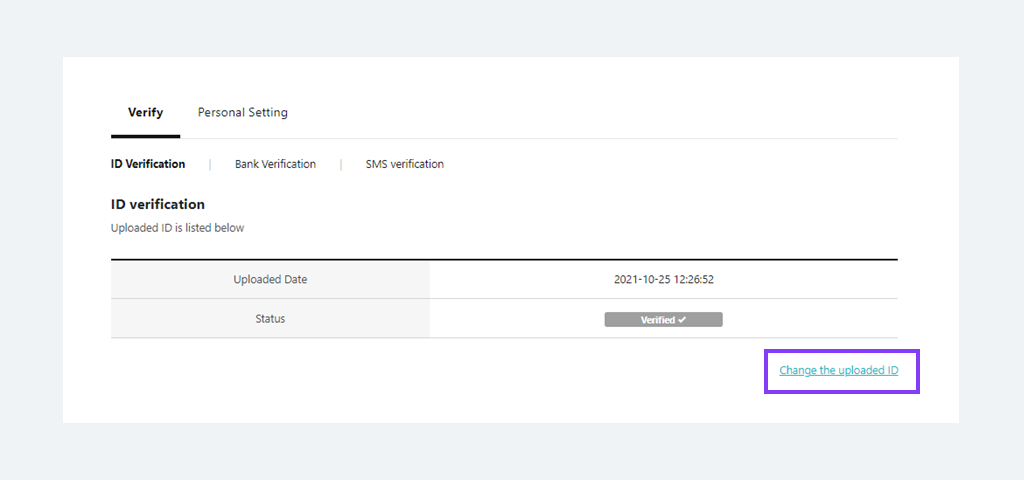
For the security reason, Utransfer requires ID verification to all the customers as a mandatory procedure.
To proceed a ID verification, go to [Account Management]>[Verification]>[ID Verification] after log in.
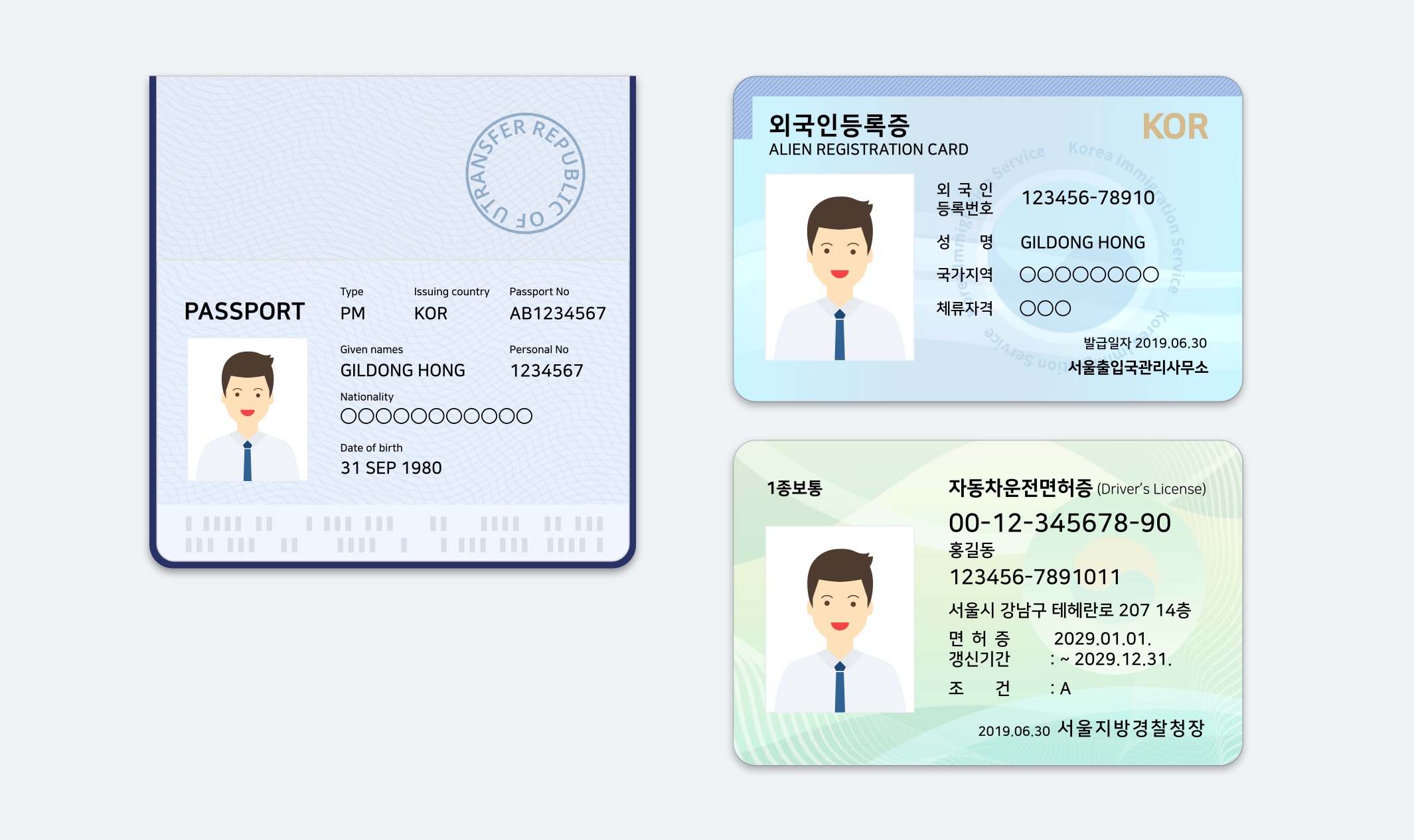
[Available ID types for verification]
Passport, Driver's license, Aiien residents card.
- Upload a copy of passport and input the alien registration number (including the expiration date)
- Upload a copy of driver's license and input the passport number.
* 'A certificate of residence of a foreigner' is same with an alien registration.
[Verify with a passport and alien registration]
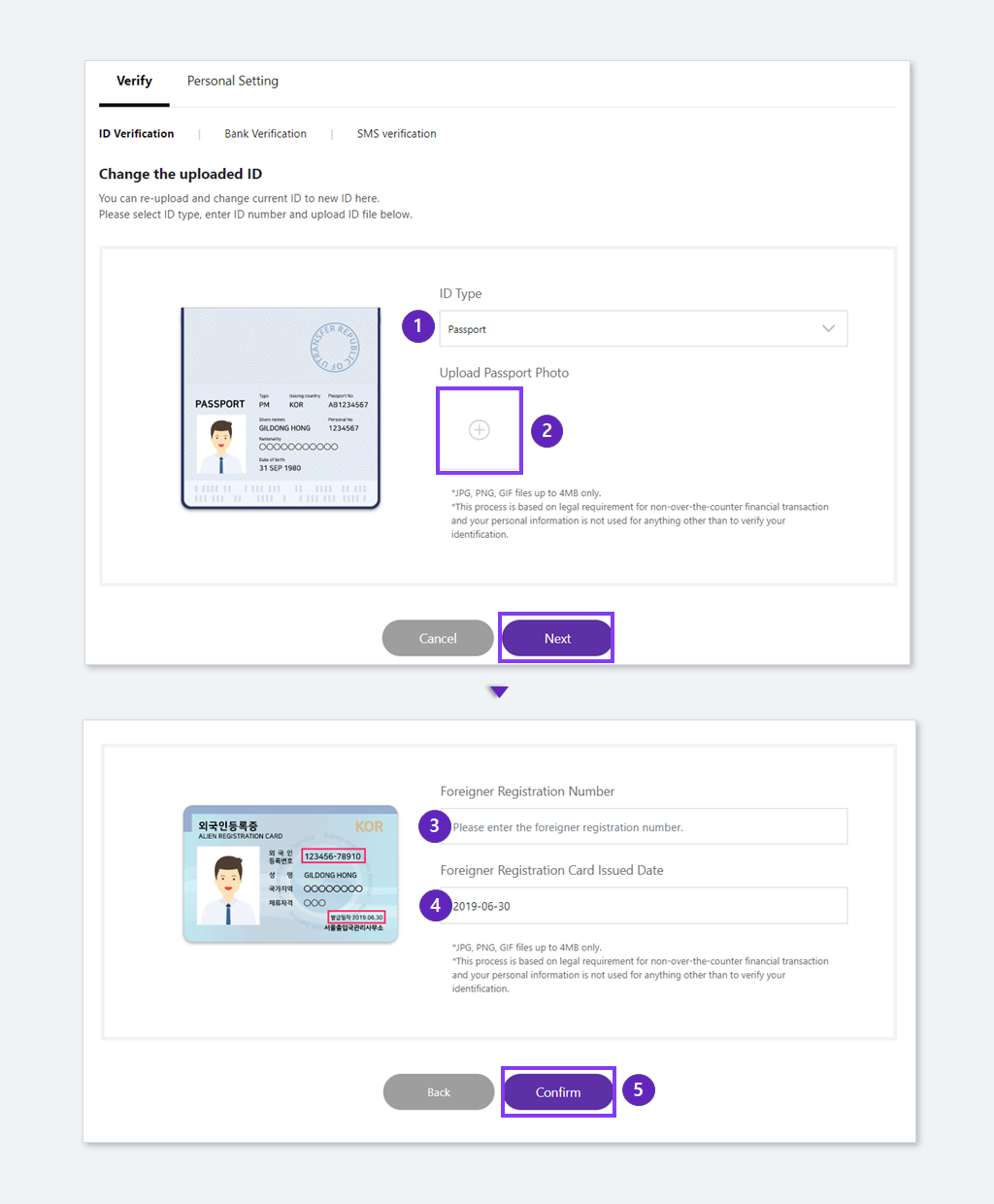
① Select the passport.
② Take a photo of your ID clearly and upload it. (All the numbers should be visiable) and click 'next'.
③ Input the ailien registration number.
④ Input the issue date of the alien registration.
⑤ Click the 'Confim' button.
[Verify with Driver's license and passport]
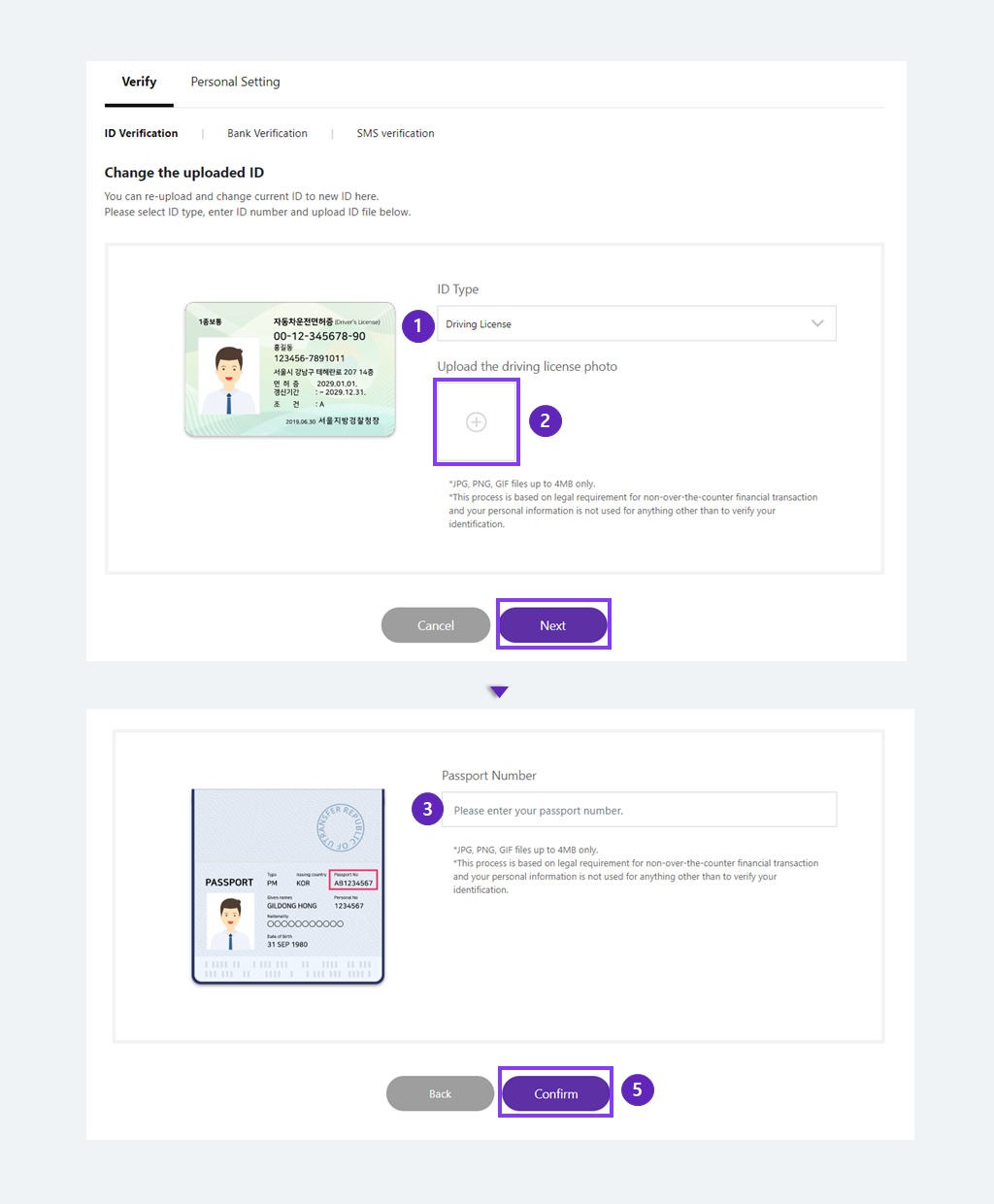
① Select the Driver's license
② Take a photo of your ID clearly and upload it. (All the numbers should be visiable)
③ Input the passport number.
④ Please click 'Confirm'.
[Verify with Driver's license and passport]
① Select the Driver's license
② Take a photo of your ID clearly and upload it. (All the numbers should be visiable)
③ Input the passport number.
④ Please click 'Confirm'.
[Things to know]
- Upload the non-expired ID
- You should be staying in Korea when your ID is verified.
- Upload the ID which is all the infos are visiable.
- Upload the ID which is not tilted.
- Do not hide any ID info.
- Upload the most recently issued ID
- Take a photo of your actual ID not scanned ID.
[Do you need to edit your verified ID?]
Click the button at [Account Management]>[Verification]>[ID Verification]>[Change the uploaded ID] after log in to change your verified ID.